What is a car dashboard app, and how do you pick one?
A car dashboard app turns a mounted phone into a driving display. What they do, how they differ from Android Auto, and a checklist for choosing one, including the permissions it should ask for.
By the Cardashly teamPublished Updated 4 min read
Disclosure: we make Cardashly, a car dashboard app for Android. We point out where it fits and where it does not, and we take no payment for mentioning other products. How we write these guides
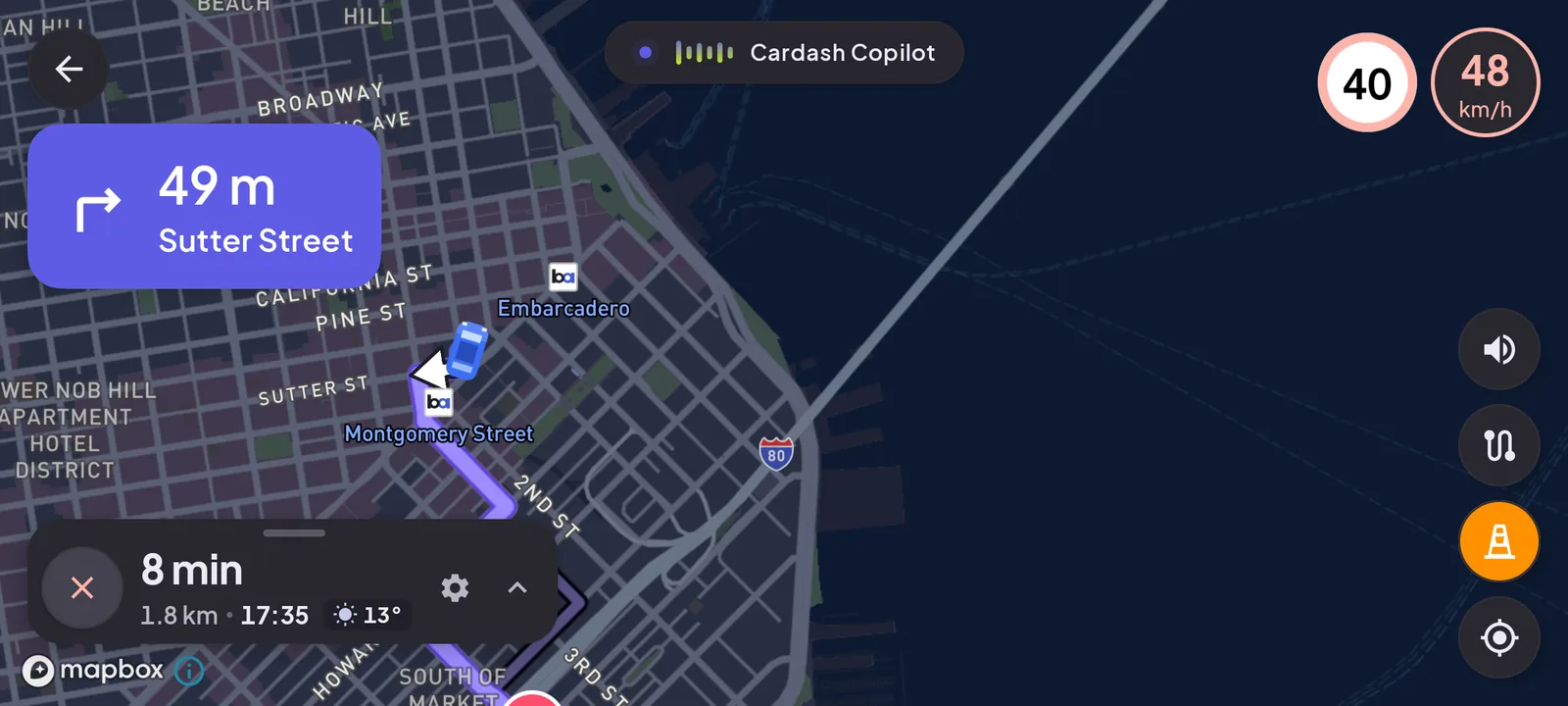
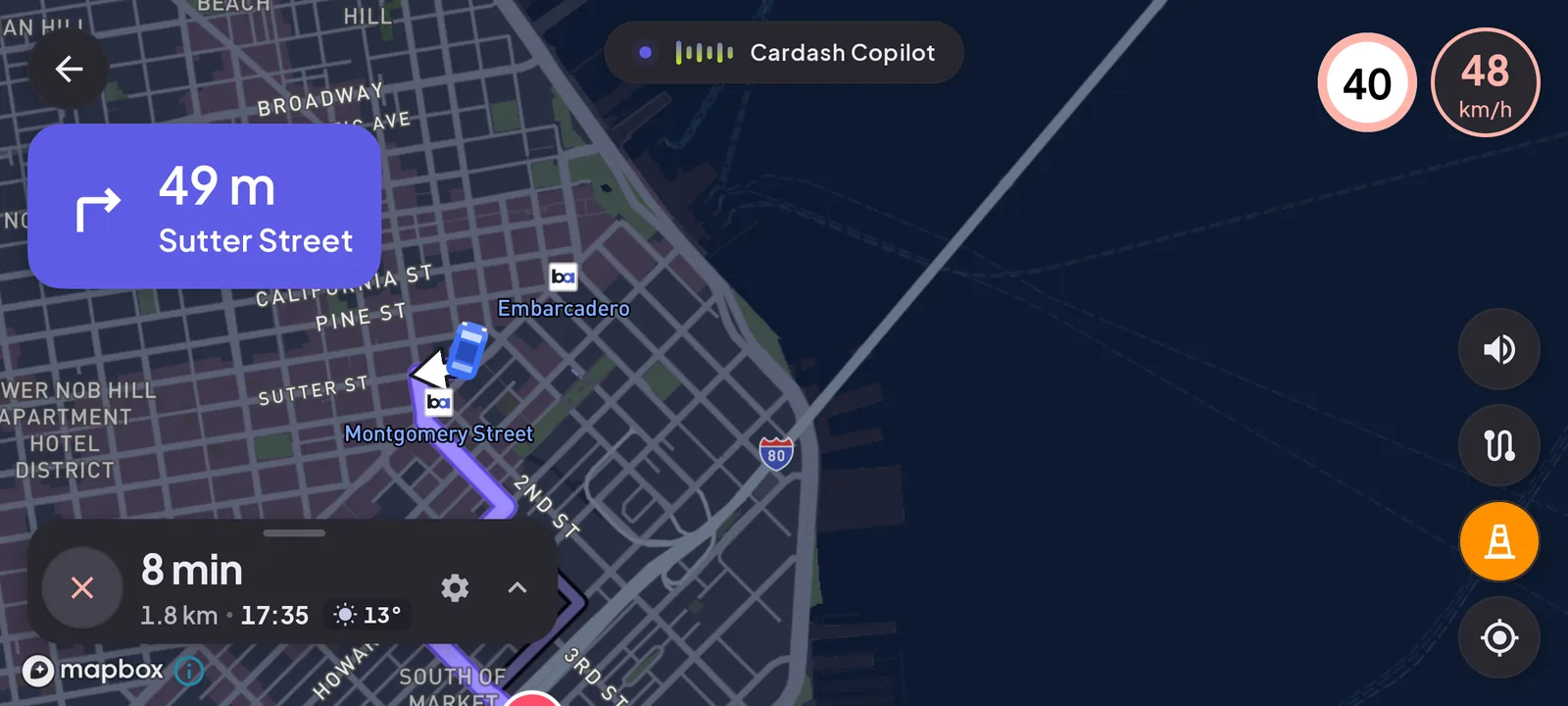
A car dashboard app turns a phone on a dash mount into the car's display. Instead of a home screen full of small icons, you get a driving layout: a large speedometer, the time, a map, what is playing and a way to call, all readable in a glance. It runs entirely on the phone, which is why it works in cars that have no screen or no Android Auto.
What one does
Most dashboard apps are built around the same core:
- Speed from GPS, shown large. (How that works: using your phone as a speedometer.)
- Navigation, either built in or handed off to a maps app.
- Media controls for music and radio, with big targets.
- Calling from a short list of contacts.
- Extras such as weather, trip logs, or engine data from an OBD-II adapter.
What makes it a dashboard rather than just another app is the design: landscape, dark, a few things at a time, big enough to read at arm's length.
How it differs from Android Auto and CarPlay
Both Android Auto and CarPlay work through the car: they draw on its built-in screen. A dashboard app does not.
| Car dashboard app | Android Auto / CarPlay | |
|---|---|---|
| Where it shows | On the phone | On the car's built-in screen |
| Needs a compatible car | No | Yes |
| Works in an older car with no screen | Yes | No |
| Uses the car's buttons and steering controls | No | Yes |
If your car already supports Android Auto, that is usually the better experience: bigger screen, steering-wheel controls, the car's speakers and microphone. A dashboard app makes sense when the car has nothing to connect to, or when you want a setup that goes with you between cars. We compare the options in detail in Android Auto vs a phone dashboard.
How to choose one
1. Can you read it in under a second?
Look at the app's screenshots from arm's length. If the speed is not the first thing you see, move on. Everything else on this list matters less.
2. Does it only ask for what it needs?
A dashboard app has good reasons to ask for location (speed, maps, weather) and possibly Bluetooth (an OBD-II adapter). Anything more should come with a clear reason.
For transparency, here is what our own app, Cardashly, asks for and why:
| Permission | Why |
|---|---|
| Location | Speedometer, map, navigation and local weather |
| Location in a foreground service | Keeping navigation and trip recording running, always with a visible notification |
| Bluetooth connect | Reading engine data from an OBD-II adapter you have already paired |
| Notification access (optional) | Showing what is playing in your other music apps |
| Notifications | Driving alerts and playback controls |
| Advertising ID | Read by our analytics library (Firebase); you can reset or delete it in Android settings |
It does not ask for your contacts list, storage or microphone. Contacts come from Android's own picker, one at a time, and voice search uses Android's speech prompt. Hold any app to the same standard: a permission you cannot explain is a red flag.
3. Does it fit your driving?
- Commuting: speed, time and one-tap navigation are enough.
- Long drives: maps with voice guidance, music and radio, weather on the way.
- Older or high-mileage cars: OBD-II support for coolant temperature and engine data.
A long feature list you will never use is clutter on a screen that should stay simple.
4. Is it honest about what it is?
Some apps in this category promise to put "CarPlay on Android" or mirror your phone onto the car's screen. Without support in the car, a phone app cannot do that. If the store listing claims something the car would have to support, expect to be disappointed. Our guide to CarPlay on Android explains what is and is not possible.
5. Are the ads off the driving screen?
Free apps need to make money, and that is fine. Ads over the speedometer while you drive are not. Check reviews for complaints about pop-ups while driving.
Quick checklist
| Check | Why it matters |
|---|---|
| Speed readable in under a second | The whole point of a dashboard |
| Permissions you can explain | Location, maybe Bluetooth; anything else needs a reason |
| Features that match your drives | Fewer things on screen means shorter glances |
| No projection claims | A phone app cannot drive the car's screen on its own |
| No ads on the driving screen | Safety |
The app is only half of it. Where the phone sits decides whether a glance takes half a second or two, so read where to mount it and how to power it before your first drive.
Frequently asked questions
- What is the difference between a car dashboard app and Android Auto?
- A car dashboard app runs on the phone and uses the phone's screen. Android Auto shows your apps on the car's built-in screen and only works in cars (or head units) that support it.
- Do car dashboard apps work in any car?
- Yes. Because everything runs on the phone, all you need is a mount and ideally a charger. The car does not need a screen or any special support.
- What permissions should a car dashboard app ask for?
- Location is essential for speed and maps. Bluetooth is reasonable if the app reads engine data from an OBD-II adapter. Anything else, such as contacts or microphone access, should come with a clear reason.
Sources
Where the checkable facts in this guide come from. Statements about how Cardashly works come from our own app.
- Android: Android Auto Runs on a supported car's display, connected by USB or wirelessly.
- Apple: CarPlay Also runs through the car's display, from an iPhone.
Turn your phone into the cockpit
Cardashly puts a big glanceable speedometer, maps, music and one-tap calling on one dark, landscape screen, in any car. Free on Google Play.