Can you get CarPlay on Android? What works instead
CarPlay does not run on Android phones. Here is why, what the "CarPlay for Android" apps actually are, and the four options that give an Android driver the same experience.
By the Cardashly teamPublished 4 min read
Disclosure: we make Cardashly, a car dashboard app for Android. We point out where it fits and where it does not, and we take no payment for mentioning other products. How we write these guides
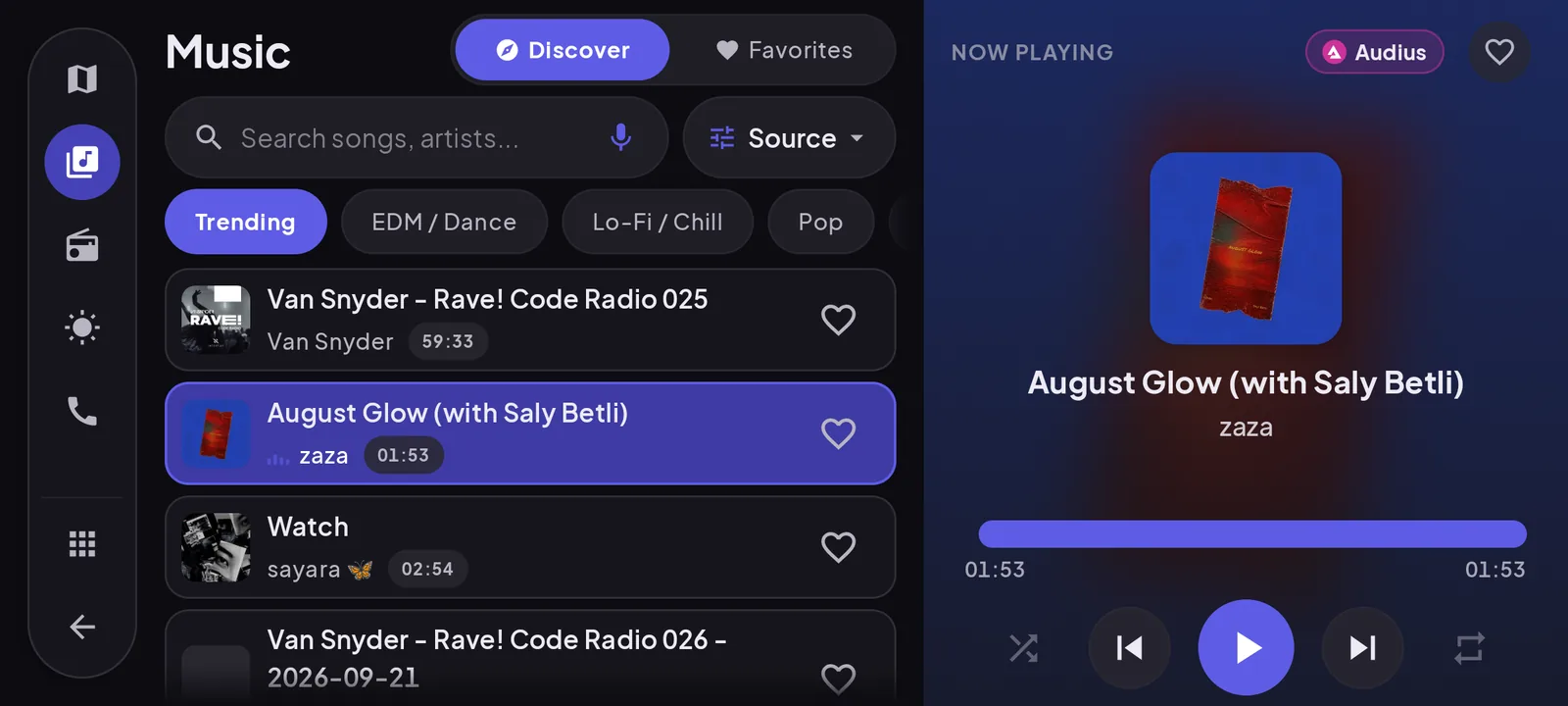
No, you cannot run CarPlay on an Android phone. CarPlay is Apple's software, it only talks to iPhones, and no app changes that. What Android drivers can get is the same experience by other routes: Android Auto if the car supports it, an adapter or a head unit that adds it, or a dashboard app that makes the phone itself the screen.
Why CarPlay cannot work on Android
CarPlay is a protocol between an iPhone and a car. The car's screen shows an interface that the iPhone generates, using Apple's own software on both ends. An Android phone does not have that software and cannot pretend to be an iPhone to the car. That is not something an app from the Play Store can change.
What "CarPlay for Android" apps really are
Search the Play Store and you will find apps with CarPlay in the name or screenshots that look very like it. In almost every case they are one of two things:
- Launchers or skins that restyle the phone's home screen to look like CarPlay.
- Dashboard apps that show driving information on the phone in landscape.
Some are useful. None of them put anything on the car's built-in screen, and listings that suggest otherwise are setting you up for disappointment. (We describe our own app as "CarPlay-style" for the same reason these apps do: it is the quickest way to say what the layout looks like. The test is whether the listing is also clear about what it is not.) Read the description for what the app does on the phone, and ignore the pictures of a car's display.
Option 1: Android Auto, if your car has it
Android Auto is Google's equivalent of CarPlay: your phone's maps, music, messages and calls on the car's screen, with the car's buttons and speakers. Most cars that support CarPlay also support Android Auto. Check the car's settings menu or manual, or just plug in your phone with a good cable and see if it prompts you.
If your car supports it, this is the closest you will get to CarPlay on Android, and it is free. Our CarPlay vs Android Auto comparison covers the differences.
Option 2: an adapter, if the car only has CarPlay
Some cars support CarPlay but not Android Auto. For those, a category of plug-in boxes connects to the car's factory CarPlay port and runs Android Auto, or a small Android system, on top of it. They are sold under various brands as wireless adapters or "AI boxes".
They can work, but go in with realistic expectations:
- They only work if the car already has wired CarPlay from the factory.
- They add a second device, a second boot-up and some lag to every tap.
- Quality varies widely between brands and firmware versions, and support for a given car model is hit and miss.
Read recent reviews from owners of your exact car before buying one.
Option 3: a head unit with Android Auto
If your car has no support, an aftermarket stereo with Android Auto (most also do CarPlay) gives you the full experience on a proper screen. Expect to pay for the unit and usually for fitting. In some cars the stereo is built into the dash in a way that makes replacing it expensive or impractical, so check with a fitter first.
Option 4: make the phone the dashboard
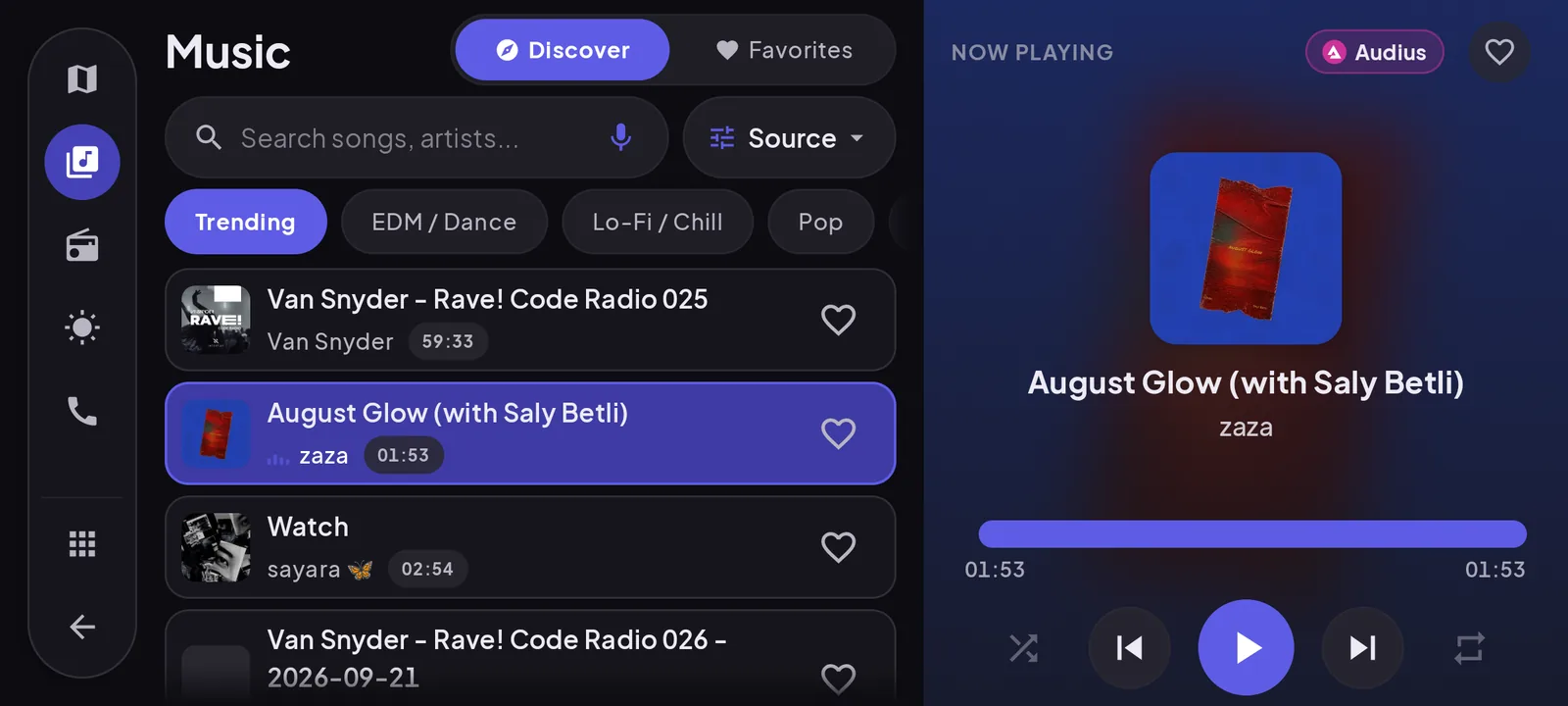
The option that needs nothing from the car: mount the phone and run a dashboard app. You get a CarPlay-like layout on the phone's screen, with speed, maps, music and calls together in landscape.
Our app, Cardashly, uses a layout similar in spirit to CarPlay: a side dock of apps, a map, and cards for time, music and speed. It is not CarPlay, it is not affiliated with Apple, and it does not use the car's screen. What it adds that CarPlay itself does not have is a large GPS speedometer and live engine data from an OBD-II adapter.
Which option fits
| Your situation | Best option |
|---|---|
| Car supports Android Auto | Use Android Auto |
| Car has wired CarPlay only | A CarPlay-to-Android Auto adapter, if reviews for your car are good |
| No support, happy to spend on the car | Head unit with Android Auto |
| No support, want nothing installed | Phone dashboard app |
| Older car with no screen at all | Phone dashboard app |
Still deciding between those routes? Android Auto, the car's own screen, or a phone dashboard lays out the trade-offs side by side.
Frequently asked questions
- Can I use CarPlay with a Samsung or other Android phone?
- No. CarPlay only works with iPhone. Samsung and other Android phones use Android Auto on cars that support it, which offers the same kind of experience.
- Do "CarPlay for Android" apps work?
- They can be useful as launchers or dashboards on the phone itself, but none of them can show CarPlay on your car's screen. Treat any claim to do so with suspicion.
- What is the best CarPlay alternative for Android?
- Android Auto, if your car or head unit supports it. If not, a dashboard app on a phone mount gives you a similar layout with speed, maps, music and calls on the phone's own screen.
Sources
Where the checkable facts in this guide come from. Statements about how Cardashly works come from our own app.
- Apple: CarPlay CarPlay is built for iPhone.
- Android: Android Auto Android Auto needs a supported car and a phone running Android 9 or higher for most wired connections.
Turn your phone into the cockpit
Cardashly puts a big glanceable speedometer, maps, music and one-tap calling on one dark, landscape screen, in any car. Free on Google Play.