Best free car dashboard apps for Android in 2026
Five Android car dashboard and launcher apps checked against their Google Play listings in October 2026: what is free, what is a trial, what is paid, and who each one suits.
By the Cardashly teamPublished 6 min read
Disclosure: we make Cardashly, a car dashboard app for Android. We point out where it fits and where it does not, and we take no payment for mentioning other products. How we write these guides
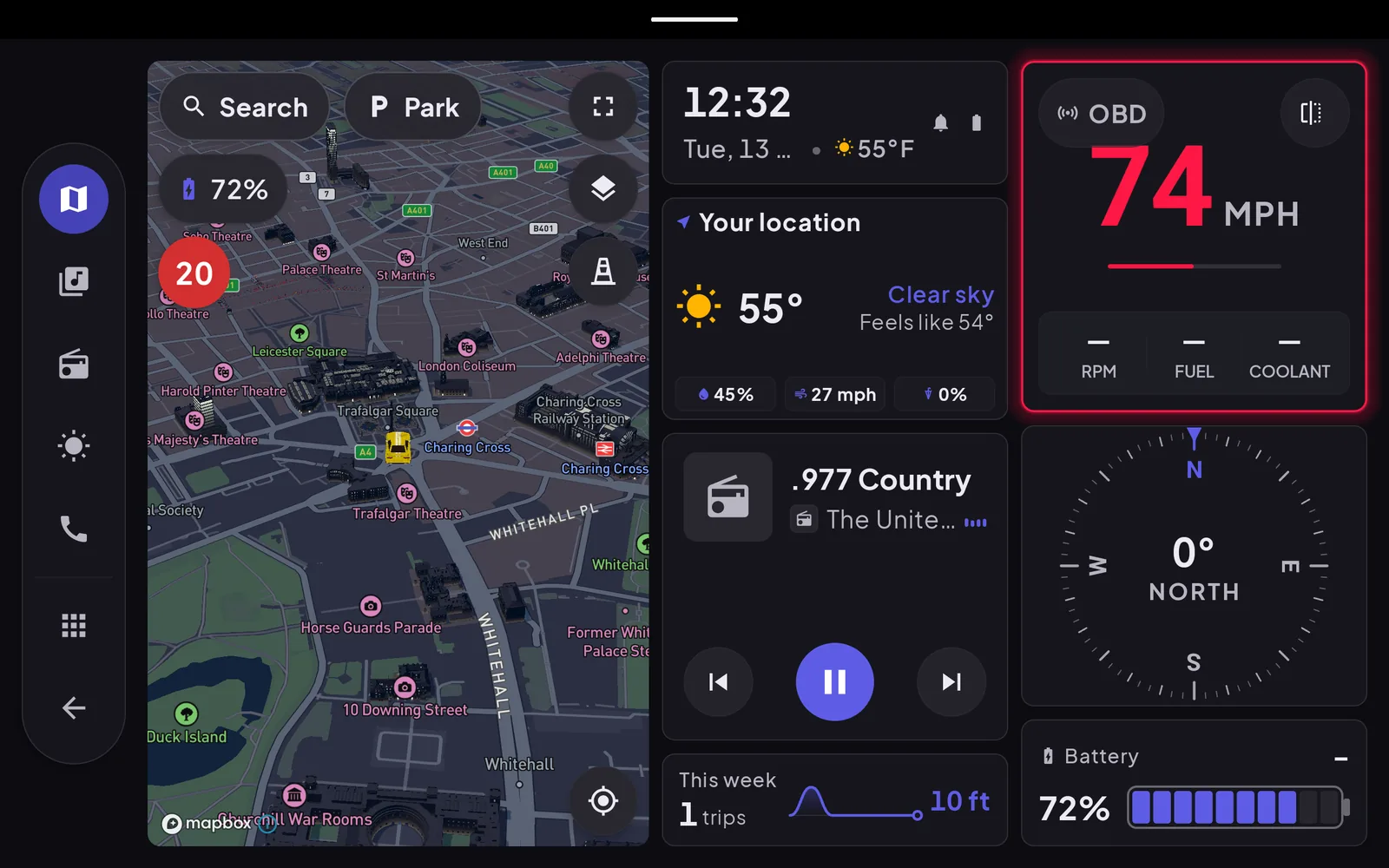
Searching for a free car dashboard app mostly returns the same few launchers, and almost none of the pages say what "free" costs you after the first week. This guide goes through the Android options we could verify, using their Google Play listings as they stood on October 28, 2026: the numbers are the listing's, not ours. One disclosure up front: we make Cardashly, which is one of the five. It gets the same treatment as the rest, including its limits.
A car dashboard app turns a mounted phone, tablet or Android head unit into a driving display (speed, map, music, clock). It is not the same thing as Android Auto, which needs a compatible car; see what a car dashboard app is if that distinction is new.
What "free" means on Google Play
The word covers four different deals, and they matter more than the feature lists:
- Free, with ads. Everything works, a banner or video interrupts. Not what you want on a driving screen.
- Free, with locked features. The core app is free, and specific features sit behind a purchase or subscription.
- Free trial. Full app for a fixed period, then it asks you to pay.
- Paid. One price up front.
Compared at a glance
| App | Price model (per listing) | Downloads | Rating | Last updated |
|---|---|---|---|---|
| AGAMA Car Launcher | 30-day trial, then in-app purchase | 5M+ | 4.5 (about 47,000) | Oct 18, 2026 |
| Car Launcher | Free, in-app purchases (PRO features) | 1M+ | 4.3 (about 87,000) | Sep 3, 2026 |
| Car Launcher Pro | Paid, $15.99 | 100K+ | 4.3 (about 44,000) | Sep 3, 2026 |
| GPS Speedometer OBD2 Dashboard | Free, ads and in-app purchases | 1M+ | 4.55 (about 3,400) | Jan 2, 2024 |
| Driving Mode Launcher | Free | 5K+ | not rated yet | Aug 15, 2026 |
| Cardashly | Free, with Premium features locked | 100+ | not rated yet | Oct 26, 2026 |
Download counts and ratings are Google Play's own and move daily. Treat them as a sense of scale, not a verdict: a 4.5 from 47,000 people says more than a 4.55 from 3,400, and neither says anything about your car.
AGAMA Car Launcher: the most complete, and a trial
AGAMA is built for car multimedia units as much as phones. Its listing describes a digital and analog speedometer that reads speed from GPS or OBD, an OBD widget, a tire-pressure (TPMS) widget, a five-day weather forecast, 24 customizable quick-launch buttons, and animated backgrounds. That is a long feature list and the biggest user base here.
The catch is in the summary line of the listing itself: "30 day TRIAL". It is a free way to find out whether you like it, not a free app. If you fit a head unit or want TPMS and a lot of customizing, it is the one to try first. If you only want a speedometer and a map, you may be paying for features you will not open.
Car Launcher and Car Launcher Pro: free core, paid extras
The free version's listing describes a launcher with unlimited apps and folders, auto-start when the device powers on, and a trip computer with a GPS speedometer. The trip stats include 0-60 and quarter-mile timing and day, week and month totals. That is a useful free tier for a phone you leave in the car.
PRO is where the display work moves: system widget support (so Google Maps or Spotify widgets can sit on the home screen), a theme editor, multiple home screens, a car brand logo, and extra widgets such as an analog speedometer. PRO is also sold as a separate paid app at $15.99. One thing to read before you install: the listing says the app uses an Android accessibility service for edge-swipe gestures, and explains how it asks permission. It is optional, but it is a permission worth deciding on deliberately.
GPS Speedometer OBD2 Dashboard: popular, but check the date
This one has 1M+ downloads and a rating of 4.55, and it shows ads. The part to notice is the last-updated date: January 2, 2024, almost three years before this guide. An old app can still work, but a car dashboard talks to Bluetooth, location and notifications, and Android changes how those behave every year. Look at recent reviews before trusting it with a Bluetooth OBD adapter.
Driving Mode Launcher: one job
Driving Mode Launcher does one thing, according to its listing: it opens Google Maps in driving mode on head units and other Android devices. It is free, tiny (5K+ downloads) and not a dashboard in the full sense. It earns a place here because for some people, "Maps on a big button, nothing else" is the whole requirement.
Cardashly: what is free, what is not, and why it is new
We know Cardashly's limits better than anyone, so here they are. It launched on Google Play in October 2026, has 100+ downloads and no public rating yet, so there is no track record to point to. The free tier, as listed in the app's own feature catalog, covers the dashboard and widgets, a GPS speedometer with a windshield HUD mode, turn-by-turn navigation with lane guidance, music, radio and calls, weather, one vehicle in the garage, and trip history.
These are Premium: route weather, toll costs, offline maps, OBD live data, advanced EV planning, trip stats charts, multiple vehicles and all of the dashboard themes. Premium is a subscription; the yearly plan carries a free-trial offer. So if you wanted live OBD numbers for nothing, Cardashly is not that app. If you want a clean speedometer, navigation and music screen that costs nothing, it is.
Which one fits which driver
- A head unit in an older car, lots of customizing: AGAMA, accepting the trial.
- A spare phone that lives in the car, free: Car Launcher's free tier.
- Only a big speed readout: any GPS speedometer; check the update date first.
- Just Google Maps on a button: Driving Mode Launcher.
- A cockpit-style screen on a phone or tablet with free navigation: Cardashly, if you can live without the Premium features.
- A car with Android Auto already: use it, and skip all of these. See Android Auto versus a dashboard app.
Before you install any of them
Check three things on the listing: the last-updated date, the data-safety section, and whether the "free" in the title is a trial. Then mount the phone where it does not block your view and set it up before you drive; the safety guide covers the rules that apply to any of these apps, and the setup guide covers mounting and power.
Frequently asked questions
- Is there a completely free car dashboard app for Android?
- Several are free to install, but "free" varies. Car Launcher and Cardashly have free tiers with paid extras, Driving Mode Launcher is free, and AGAMA is a 30-day trial. Some free speedometer apps show ads, which is a poor fit for a driving screen.
- What is the difference between a car launcher and a car dashboard app?
- A launcher replaces your home screen with large buttons for apps; a dashboard app focuses on live driving information such as speed, maps and engine data. Most of the apps above do both to some degree.
- Do these apps replace Android Auto?
- No. Android Auto projects your phone to a compatible car's own screen. These apps run on the phone, tablet or head unit itself, so they work in cars without Android Auto.
- Did you test all of these apps yourselves?
- No. The four other than Cardashly are described from their Google Play listings as of October 28, 2026. Cardashly is described from its own source code and listing. Listings change, so check the current page before you install.
Sources
Where the checkable facts in this guide come from. Statements about how Cardashly works come from our own app.
- Google Play: AGAMA Car Launcher Listing read 2026-10-28: 5M+ downloads, 4.5 from about 47,000 ratings, "30 day TRIAL" in the summary, in-app purchases.
- Google Play: Car Launcher Listing read 2026-10-28: 1M+ downloads, 4.3 from about 87,000 ratings, in-app purchases; the description separates the free and PRO feature lists.
- Google Play: Car Launcher Pro Listing read 2026-10-28: paid app, listed at $15.99.
- Google Play: GPS Speedometer OBD2 Dashboard Listing read 2026-10-28: 1M+ downloads, ads and in-app purchases, last updated January 2, 2024.
- Google Play: Driving Mode Launcher Listing read 2026-10-28: free, 5K+ downloads; opens Google Maps in driving mode.
Turn your phone into the cockpit
Cardashly puts a big glanceable speedometer, maps, music and one-tap calling on one dark, landscape screen, in any car. Free on Google Play.