Android Auto, the car's own screen, or a phone dashboard?
Three ways to get maps, music and calls in the car, compared honestly: Android Auto, the built-in infotainment system, and a phone-mounted dashboard app. Which fits which car.
By the Cardashly teamPublished Updated 4 min read
Disclosure: we make Cardashly, a car dashboard app for Android. We point out where it fits and where it does not, and we take no payment for mentioning other products. How we write these guides
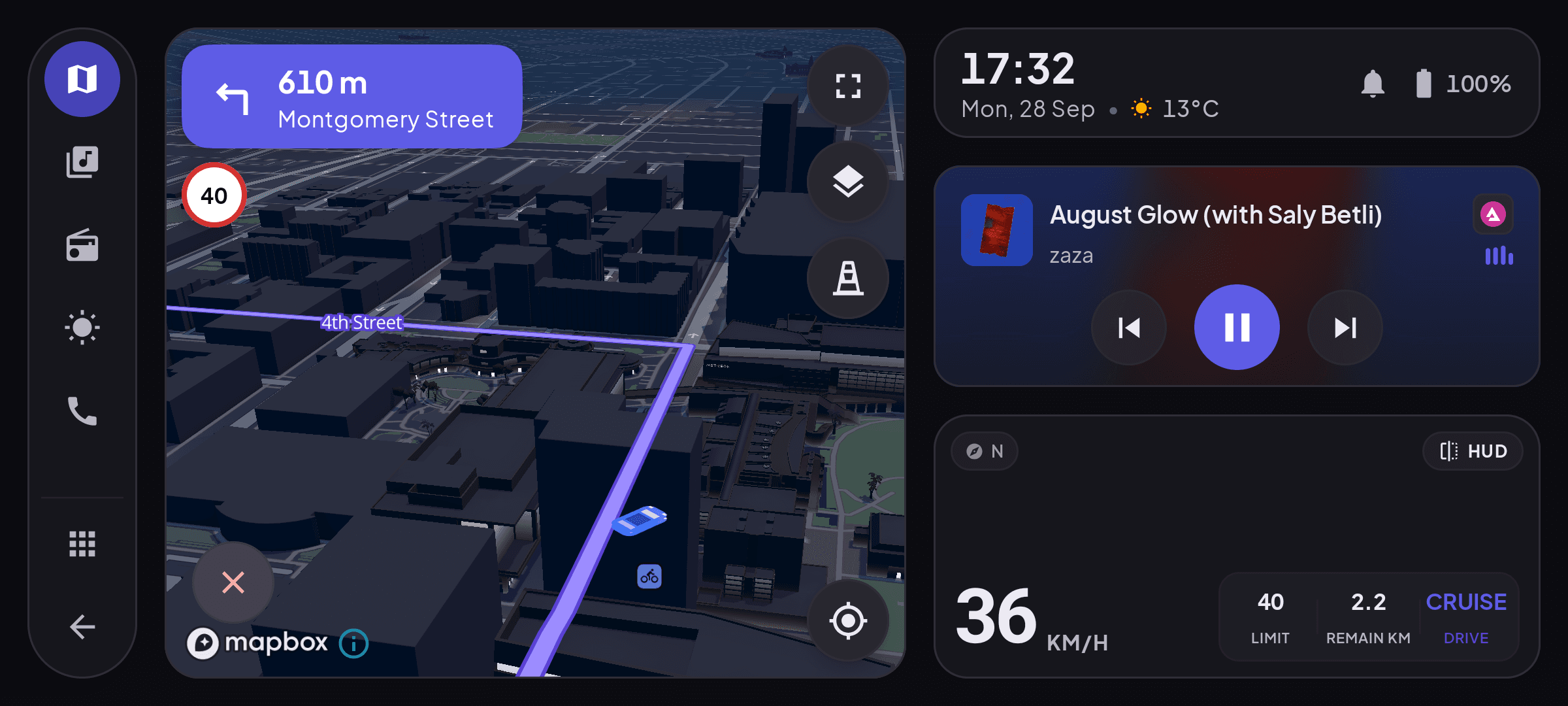
You do not need Android Auto to have a dashboard in your car. There are three ways to get maps, music and calls while driving, and which one is best depends mostly on the car: Android Auto (your phone's apps on the car's screen), the car's own infotainment system, or a dashboard app on a phone mount. If your car supports Android Auto, use it. If it does not, the other two are where the real choice is.
The three options at a glance
| Android Auto | Built-in infotainment | Phone dashboard app | |
|---|---|---|---|
| Needs support in the car | Yes | It is the car | No |
| Screen | Car's screen | Car's screen | Phone (or tablet) |
| Steering-wheel controls | Yes | Yes | No |
| Uses car speakers and mic | Yes | Yes | Through Bluetooth audio if paired |
| Maps | Google Maps, Waze and others, always current | Varies, often dated | Current, from the app |
| Updates | With your phone | Rare, sometimes never | With the app |
| Climate, cameras, car settings | No | Yes | No |
| Moves between cars | Needs support in each | No | Yes |
| Extra cost | None if the car supports it | Part of the car | A mount |
Android Auto: best when the car supports it
Android Auto puts a driving version of your phone's apps on the car's screen. It uses the car's steering-wheel buttons, speakers and microphone, and the screen is bigger and better placed than any phone mount. If your car has it, this is the easy recommendation.
Its limits are about the car, not the software. It needs a compatible car or head unit, and Google retired the phone-screen version of Android Auto (it shut down with Android 12 and was replaced by Assistant driving mode), so without that there is no Android Auto at all. Layouts are fixed: you cannot, for example, put a large speedometer next to the map.
The car's own system: best at being part of the car
Built-in infotainment can do things nothing else can: climate control, parking cameras, drive modes, tire pressures, EV charging settings. It never needs mounting or charging.
Where it tends to fall down is software. Many systems ship with map data that goes stale, get few updates after the car is sold, and respond slowly next to a modern phone.
A phone dashboard: best when there is nothing to connect to
A dashboard app turns the phone itself into the display, so the car needs no support at all. That makes it the practical option for:
- Older cars and base trims with no screen or no Android Auto.
- Cars whose built-in system works but has dated maps.
- Drivers who move between cars (rentals, work vehicles, a partner's car).
- People who want a large speedometer or engine data alongside the map.
Its trade-offs are real: the screen is smaller, there are no steering-wheel controls, and the phone needs a mount, a charger and a spot out of the sun.
In our own app, Cardashly, we lean into the things a phone can do that a fixed system usually cannot: a large GPS speedometer, weather along your route, and live engine data from an OBD-II adapter, all on one landscape screen. We deliberately do not claim to put anything on the car's display, because a phone app cannot do that without Android Auto.
Using them together
Many drivers do not pick just one. A common setup is the car's screen for climate and the reversing camera, with a phone dashboard mounted nearby for maps and speed. If your car has Android Auto, some people still mount a second phone or small tablet as a dedicated speedometer and gauge display.
Which should you choose?
| Your car | Best starting point |
|---|---|
| Supports Android Auto | Android Auto |
| Has a screen without Android Auto | Built-in for car functions, phone dashboard for maps and speed |
| Has no screen | Phone dashboard |
| Changes often (rentals, work cars) | Phone dashboard |
Leaning toward the phone? Start with the checklist in what a car dashboard app is and how to pick one, then worry about the mount.
Frequently asked questions
- Do I need Android Auto to use a car dashboard app?
- No. A dashboard app runs on the phone and uses the phone's own screen, so the car needs no Android Auto support, no screen and no special hardware.
- Is Android Auto better than a phone dashboard app?
- If your car supports it, usually yes: a bigger screen, steering-wheel controls and the car's own speakers and microphone. A phone dashboard is the better option when the car has no Android Auto or no screen.
- Can a dashboard app replace my car's infotainment system?
- For maps, music, speed and calls, yes. It cannot control the car itself, such as climate, cameras or drive modes, so most people keep using the built-in screen for those.
Sources
Where the checkable facts in this guide come from. Statements about how Cardashly works come from our own app.
- Android: Android Auto Needs a supported car or head unit; connects over USB or wirelessly.
- 9to5Google: Android Auto for Phone Screens is shutting down with Android 12 (August 2021) Android Auto remains available for car screens only.
Turn your phone into the cockpit
Cardashly puts a big glanceable speedometer, maps, music and one-tap calling on one dark, landscape screen, in any car. Free on Google Play.