How to use your phone as a speedometer
Your phone can show your true speed from GPS, often more accurately than the car's dial. How it works, where it fails, and how to set one up so you can read it in a glance.
By the Cardashly teamPublished 5 min read
Disclosure: we make Cardashly, a car dashboard app for Android. We point out where it fits and where it does not, and we take no payment for mentioning other products. How we write these guides
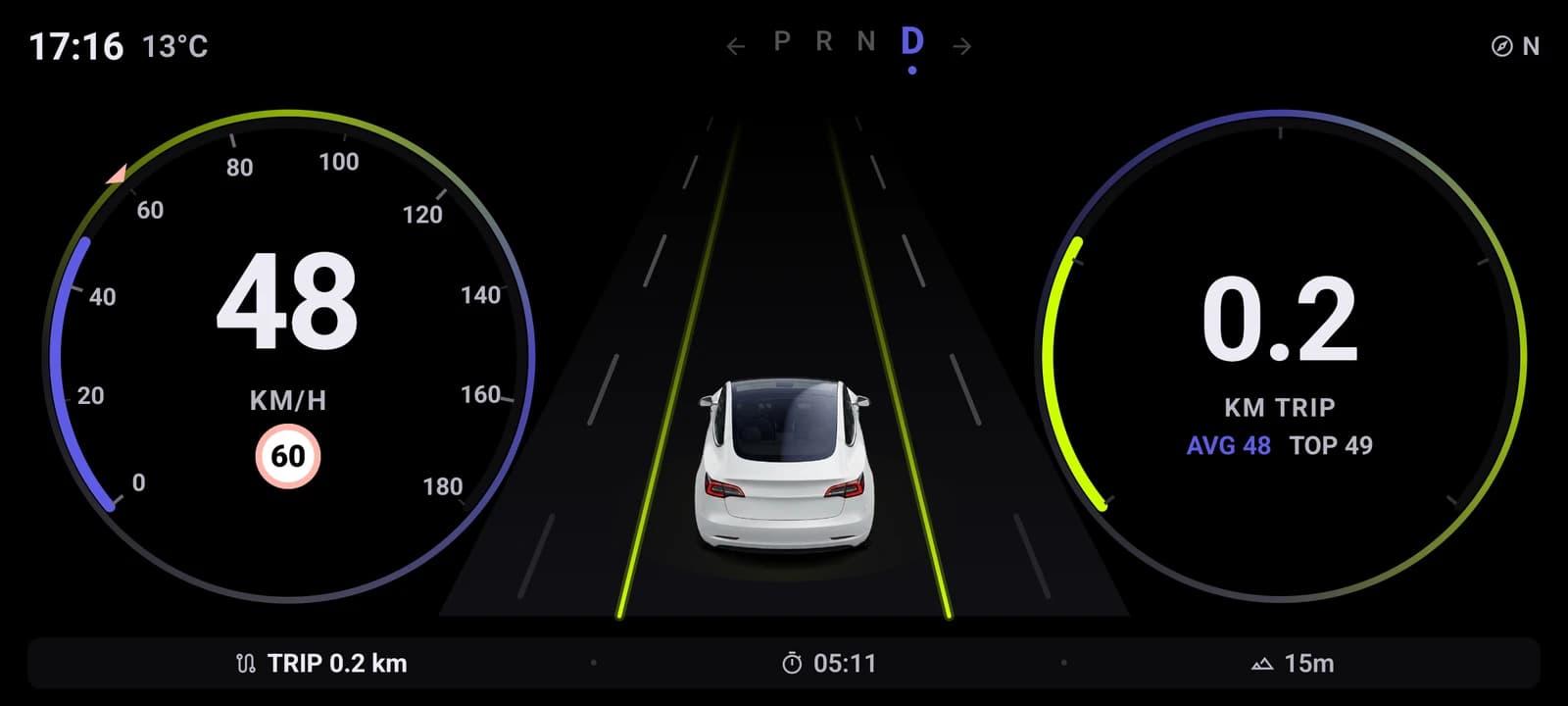
Yes, your phone makes a good speedometer. It reads speed from GPS, and in open sky that number is usually within 1 to 2 km/h (about 1 mph) of your true speed, which is often closer than the needle in your car. You need a steady mount, a charger, and an app that shows the number large enough to read in a glance.
This guide covers how phone speed actually works, where it breaks, and how to set it up. Some of it comes from building the speedometer in our own app, so we will say where that is the case.
Why your car's speedometer reads high
Car speedometers are built to never show less than your real speed. UN Regulation 39, used in the EU, the UK, Japan and many other markets, allows the dial to read up to 10 percent plus 4 km/h over, and never under. Manufacturers leave margin for tire wear and different tire sizes, so most cars show a few km/h more than you are really doing.
A phone has no tire to guess from. It measures how fast it is moving over the ground, so when your phone and your dashboard disagree by a few km/h, the phone is usually the one telling the truth.
How a phone measures speed
There are two ways an app can get a speed number, and the difference matters.
- Distance between two positions. Take a fix, wait a second, take another, divide the distance by the time. Simple, but every position has a few meters of error, so the speed jumps around, especially at low speed.
- The speed the GPS chip reports. Satellite receivers measure the Doppler shift of
the signals, which gives velocity directly. On Android an app gets this as
Location.getSpeed(), in meters per second. It is far steadier than method 1.
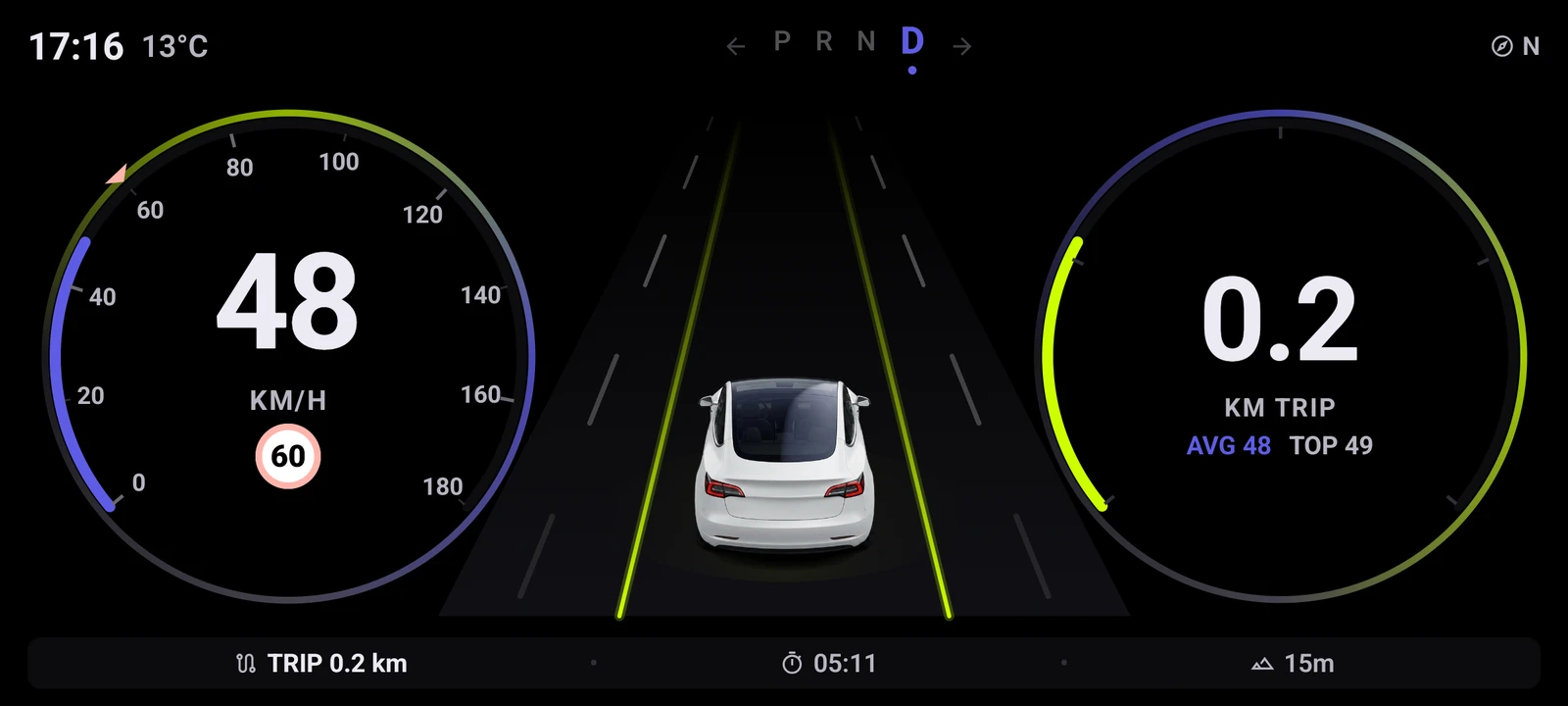
The Cardashly speedometer uses the second method. On the full-screen speedometer the app asks Android for a high-accuracy fix every 500 ms (never faster than every 250 ms); the smaller speed card on the dashboard updates about once a second. Either way it takes the receiver's own speed value and multiplies it by 3.6 to get km/h.
The parked-car problem
One thing surprised us. A stationary phone often does not report exactly zero. GPS noise gives a parked car 1 to 2 km/h, so a naive speedometer reads "2 km/h" while you are waiting at a red light. We treat anything under 3 km/h as stopped. If your speedometer app flickers above zero at standstill, that is what is happening.
Where GPS speed goes wrong
GPS speed is good, not perfect. Expect trouble in these places:
- Tunnels and parking garages. No sky, no signal. The number freezes or drops out until you are back outside.
- Dense city streets. Signals bounce off tall buildings and the position wanders. Speed usually holds up better than position, but it can wobble.
- The first seconds after starting. A phone that has not had a fix for a while needs a moment to find satellites. Open the app before you pull off.
- Sudden changes. GPS reports a little behind reality, so hard braking shows up a beat late. Fine for reading your speed, useless for timing 0 to 100.
A phone speedometer is a reference, not a certified instrument. It is honest about your cruising speed, but it will not stand in for your car's gauges in a tunnel.
How to set it up
1. Mount it where a glance is enough
Low and central, in landscape, never blocking the road. Our phone-as-dashboard setup guide covers mount types and placement in detail.
2. Keep it powered
A lit screen plus constant GPS drains a battery in a couple of hours. Plug it in.
3. Make the number readable
- Digits you can read from arm's length. If you have to focus, they are too small.
- A dark background at night so the screen does not light up the cabin.
- The unit you think in. Switching between mph and km/h in your head is a distraction.
4. Try head-up mode at night
Some apps, including ours, have a mirrored head-up mode: lay the phone flat under the windshield and the reversed digits reflect the right way round in the glass. It works best in the dark. In daylight the reflection is too faint to use.
Speed limits
A plain speedometer only knows how fast you are going, not how fast you should be. Speed limits come from map data, and they are only as good as that data. In Cardashly the limit comes from the route when you are navigating, and the voice guidance warns you once you are 5 km/h over it. Without a route there is no posted limit to compare against, so you can set your own alert speed instead. That is your number, not the legal limit, so treat it as a reminder rather than a sign.
The short version
Your phone is a more honest speedometer than most car dials, as long as it can see the sky. Mount it low, keep it charged, make the number big, and remember it goes quiet in tunnels. If you also want maps and music on the same screen, a car dashboard app gives you the speedometer plus the rest.
Frequently asked questions
- Is a phone speedometer more accurate than my car's?
- Usually, yes. Car speedometers are designed to read at or above your true speed, often by a few km/h, while a phone reads GPS velocity directly. In open sky a phone is typically within 1 to 2 km/h of your real speed.
- Does a GPS speedometer need mobile data?
- No. Speed comes from GPS satellites, which work without a data connection. You only need data for extras such as live maps, weather or streaming radio.
- Why does my speedometer app show 1 or 2 km/h when I am parked?
- GPS measurements always contain a little noise, so a stationary phone rarely reports exactly zero. Good speedometer apps treat very low readings (ours uses under 3 km/h) as stopped.
- Why does the speed freeze in tunnels?
- GPS needs a view of the sky. Inside a tunnel or garage the phone loses the satellites, so the reading freezes or drops out until the signal returns.
Turn your phone into the cockpit
Cardashly puts a big glanceable speedometer, maps, music and one-tap calling on one dark, landscape screen, in any car. Coming soon on Google Play.
One email the day it lands on Google Play. No spam.