Modernizing an older car with a phone dashboard and OBD-II
How to give a car with no screen maps, a clear speedometer and live engine data using a phone, a mount and a cheap OBD-II adapter. What works, what to buy, and the catches.
By the Cardashly teamPublished Updated 4 min read
Disclosure: we make Cardashly, a car dashboard app for Android. We point out where it fits and where it does not, and we take no payment for mentioning other products. How we write these guides
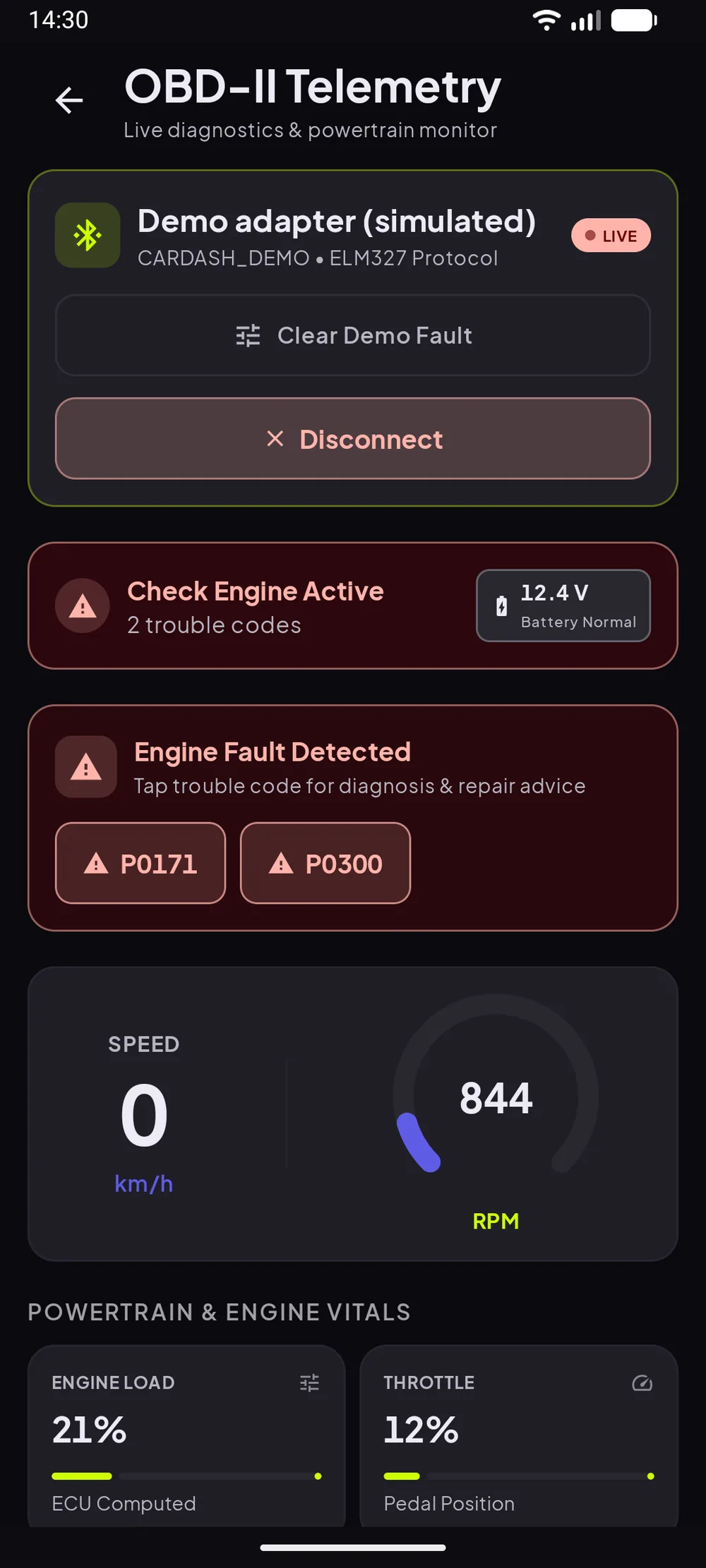
You can bring an older car up to date without touching its wiring: mount a phone, run a dashboard app, and plug a small Bluetooth OBD-II adapter into the port under the steering column. The phone gives you navigation, a readable speedometer, music and calls. The adapter adds engine data the original dashboard never showed, such as coolant temperature and RPM.
Phone dashboard or new head unit?
| Aftermarket head unit | Phone dashboard | |
|---|---|---|
| Cost | Unit plus fitting | A mount, optionally an adapter |
| Installation | Wiring and dash trim | None |
| Screen size | Usually larger | Your phone's |
| Steering-wheel controls | Often, with an adapter | No |
| Moves to your next car | No | Yes |
A head unit is the better experience if you plan to keep the car for years and the stereo slot is standard. A phone dashboard makes sense when the car is not worth the spend, the dash is awkward to modify, or you want something you can take with you.
Mounting and powering the phone works the same in an old car as a new one; see how to turn your phone into a car dashboard.
The OBD-II port: the part most people miss
Almost every car sold in the US since 1996, and in the EU from the early 2000s (petrol first, then diesel, under Directive 98/69/EC), has an OBD-II diagnostic port. It is usually under the dashboard near the steering column. Mechanics use it to read fault codes, and a small Bluetooth adapter lets a phone read it too.
What a phone can read
It depends on the car, but commonly:
- Vehicle speed (straight from the car, no GPS needed)
- Engine RPM
- Coolant temperature
- Fuel level
- Throttle position and engine load
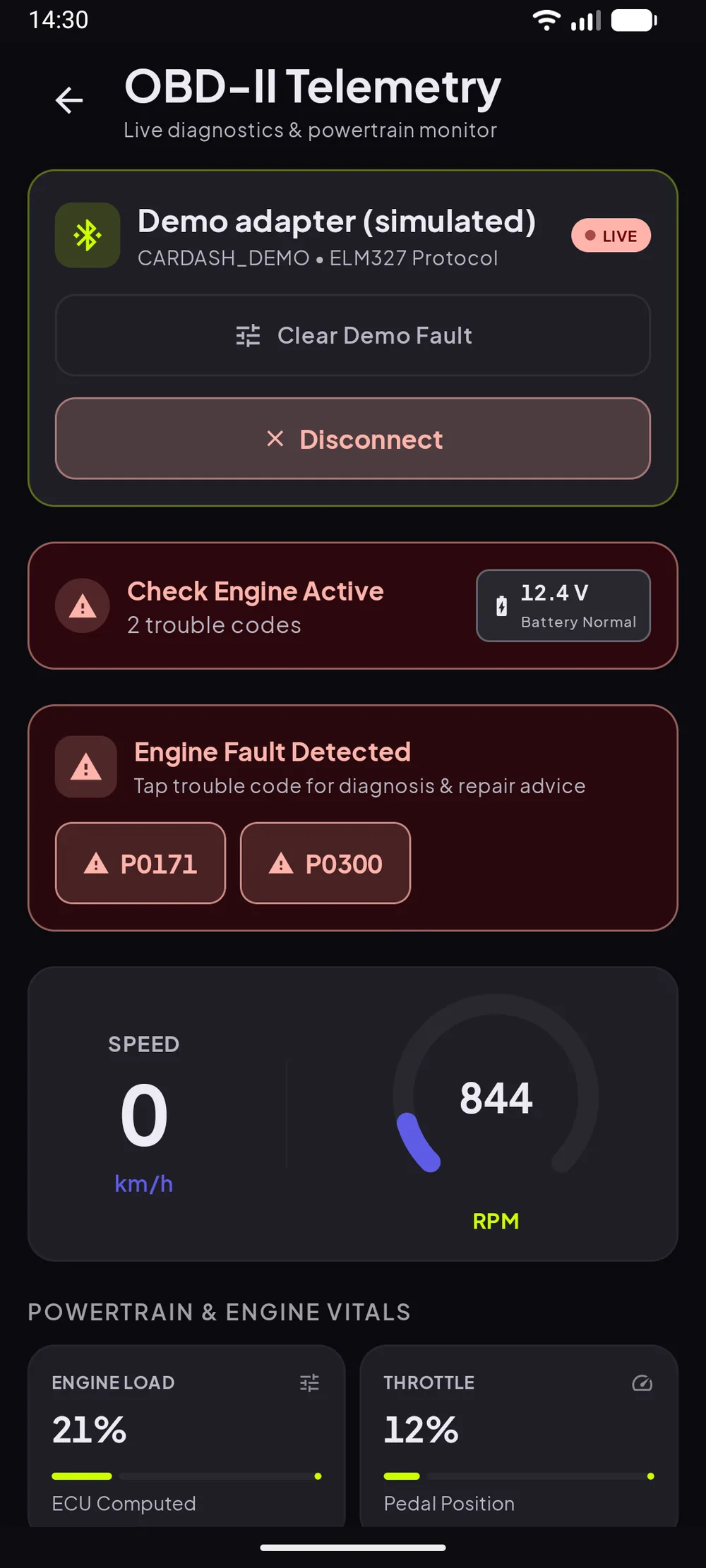
For an older car, coolant temperature is the useful one. Many old dashboards have a vague needle or only a warning light. A number you can watch on a long climb tells you far more.
What we learned building this
We added OBD-II to our app, Cardashly, and a few things surprised us that are worth knowing before you buy an adapter:
- Every car reports a different set of values. Asking for something a car does not support is normal, not an error, so the app has to skip it quietly. Our first version logged each of those as an error, and one car flooded our crash reports with harmless entries.
- Adapters are slow. We read about a dozen values in turn, then pause for half a second before the next round. On a typical adapter a full refresh takes one to two seconds. Asking harder does not help; cheap adapters and older engine computers just drop out.
- Connecting is more flexible now. Our first version only connected to adapters you had already paired in Android's Bluetooth settings, which kept the permissions minimal. The current app also scans for Bluetooth Low Energy adapters and can talk to a Wi-Fi adapter by IP address and port. Scanning needs the Nearby devices permission, and on some Android versions location too. The full flow is in our OBD connection guide.
- Turn the ignition on first. With the ignition off most cars answer nothing. If the app gets no answers for a few rounds, it stops and tells you no data is coming, so switch the ignition on (or start the engine) before you connect.
Choosing an adapter
Most consumer adapters are based on the ELM327 chip or copies of it. Quality varies a lot at the cheap end: some drop the connection or support fewer commands than they claim. Pay a little more for a known brand with recent reviews. Bluetooth Classic adapters work with most Android apps. Some newer ones are Bluetooth Low Energy only, so check your app supports the type you buy.
Unplug the adapter if you leave the car for long periods. Some draw a small current even when the car is off.
What it will not do
A phone dashboard cannot control anything in the car. It will not change the radio station on the car's own stereo or show the reversing camera. Audio plays through the car speakers only if the car has Bluetooth or an aux input. For a car with neither, a small Bluetooth-to-aux receiver or FM transmitter fills the gap.
If you are weighing this against the car's own screen or Android Auto, our comparison of the three options goes through the trade-offs.
Frequently asked questions
- Does my old car have an OBD-II port?
- Most cars sold in the US from 1996, and in the EU from 2001 (petrol) or 2004 (diesel), do. It is usually a 16-pin socket under the dashboard near the steering column.
- What can a phone read from an OBD-II adapter?
- Commonly vehicle speed, engine RPM, coolant temperature, fuel level, throttle position and engine load. Each car supports a different set, so not every value is available on every car.
- Can I play music through an old car's speakers from my phone?
- If the car has Bluetooth or an aux input, yes. If it has neither, a Bluetooth-to-aux receiver or an FM transmitter connects the phone to the car's stereo.
Sources
Where the checkable facts in this guide come from. Statements about how Cardashly works come from our own app.
- California Air Resources Board: On-Board Diagnostic II (OBD II) Systems Fact Sheet OBD-II became required on all US passenger cars and light trucks from model year 1996.
- Directive 98/69/EC on measures against air pollution by emissions from motor vehicles Introduced on-board diagnostics for petrol cars, with diesel following.
Turn your phone into the cockpit
Cardashly puts a big glanceable speedometer, maps, music and one-tap calling on one dark, landscape screen, in any car. Free on Google Play.